Phosphor
A SID music player for the Commodore 64 era - plays through USBSID-Pico hardware, pure software emulation, or a networked Ultimate 64.
Watch the trailer
Trailer by @exploraart - Adam Kazmierski.
What is Phosphor?
Phosphor is a desktop player for SID files - the music format used by the Commodore 64. It plays the High Voltage SID Collection (HVSC), the community archive that indexes tens of thousands of C64 tunes, and lets you listen on three different backends:
- Real SID hardware via the open-source USBSID-Pico USB device, with full chip configuration built in.
- Software emulation with two engines: reSID (cycle-accurate) and SIDLite (lightweight libsidplayfp).
- A networked Ultimate 64 machine - Phosphor sends play commands and optionally streams the C64’s audio back over UDP.
Features that go beyond a basic player: full sub-tune navigation, multi-SID (1/2/3 SID) support, automatic song-length lookup, STIL metadata, a live tracker visualiser, karaoke mode for MUS files, and a built-in HVSC browser so you don’t need a file picker to find anything.
Getting started
First launch - three steps to your first tune:
- Sync HVSC. Click 📚 Library (or press
L). If you don’t have a local HVSC tree yet, you’ll see a “No HVSC tree found” banner with a ⬇ Sync HVSC now button. Click it. Phosphor pulls the whole tree (~1 GB) over HTTPS fromhvsc.brona.dkin the background - you can keep using it while it downloads. Or skip syncing and drop your own SID files/folders into the playlist with ➕ Files / 📁 Folder. - Pick a source in the Library panel. Three tabs at the top of the panel:
- Local HVSC - walk by author/tune, search the whole category, or hit 🎲 Surprise me for a random pick.
- Assembly64 - type a tune name or composer, then click ▸ on any release to see its
.sidfiles. - Playlists - pick from curated M3Us shipped with each Phosphor release (HVSC Top 100, composer collections, themed mixes).
- Play or add. Every tune row has ▶ (play immediately) and ➕ (add to playlist). Loading a Published Playlist replaces the current queue but never overwrites your default - click ↺ Restore my playlist to swap back.
Everyday flow after that:
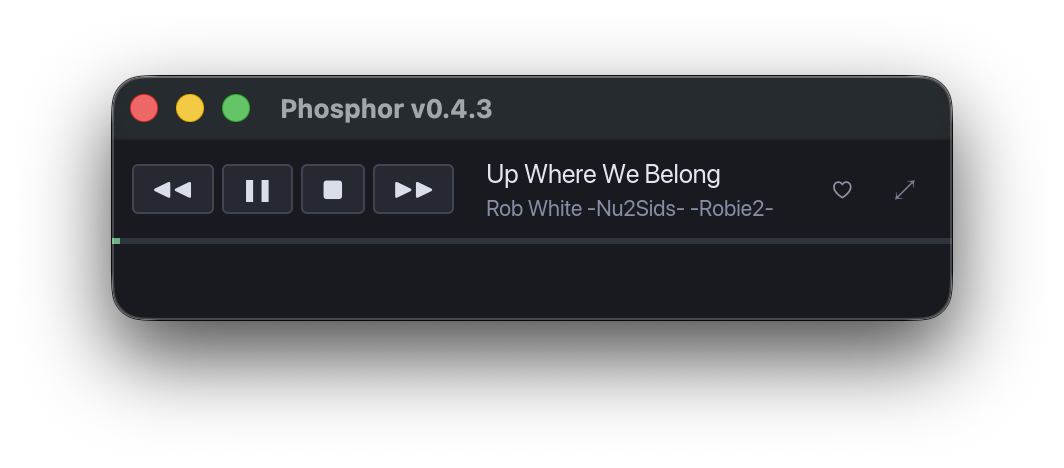
Spacestarts / pauses.←/→skip tracks.↑/↓navigate the playlist.Hhearts the current track.Shift+Htoggles shuffle.,/.nudge master volume ±5%.Ftoggles full-screen visualiser.Vcycles Bars / Scope / Tracker / Karaoke.Ctrl+Ffocuses the search box. Sortable columns - click any header (Title / Author / Duration / Type / SIDs).Mpops the mini player mode for background listening.- Full shortcut reference is in the Keyboard shortcuts section below, and
?shows an in-app overlay.
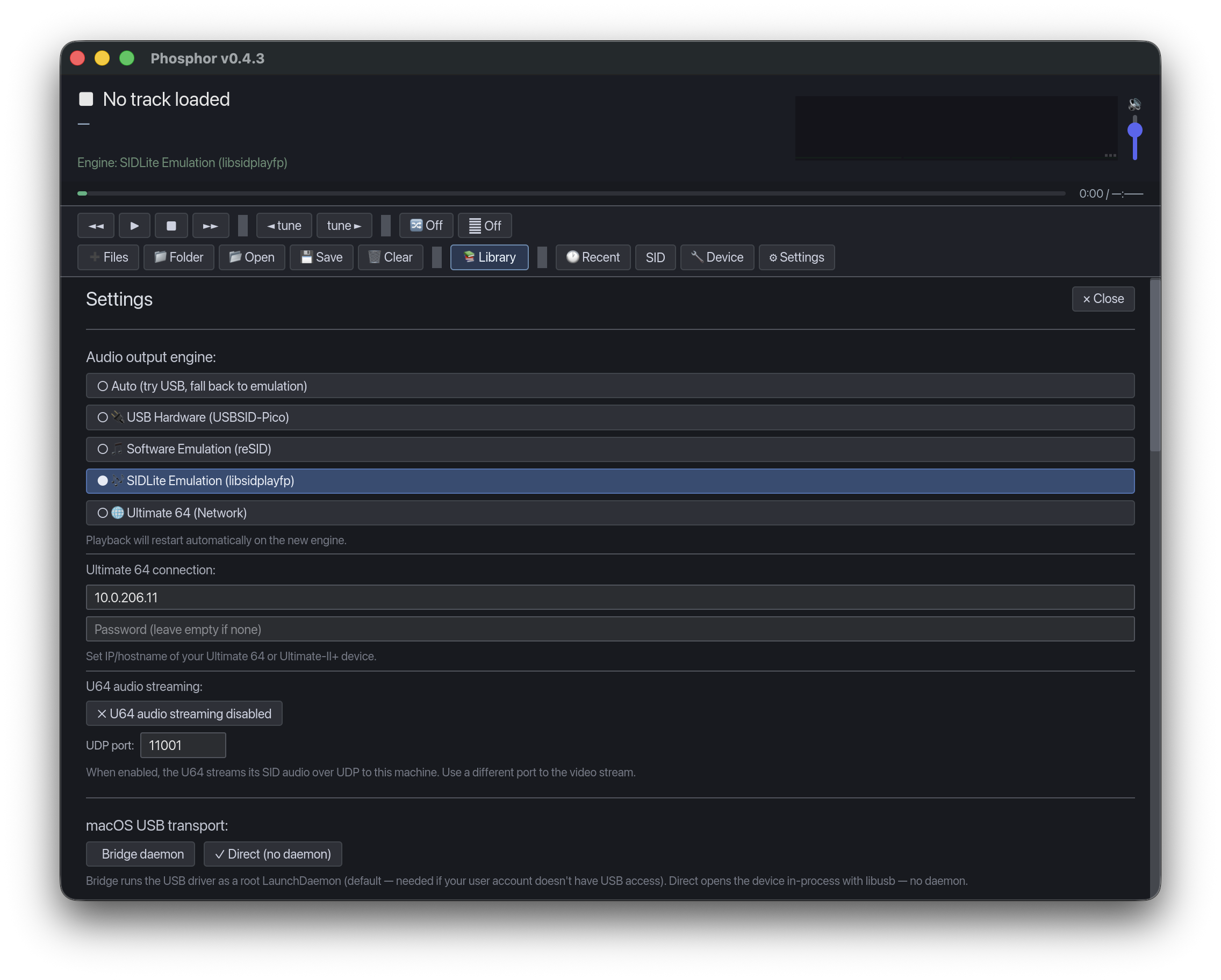
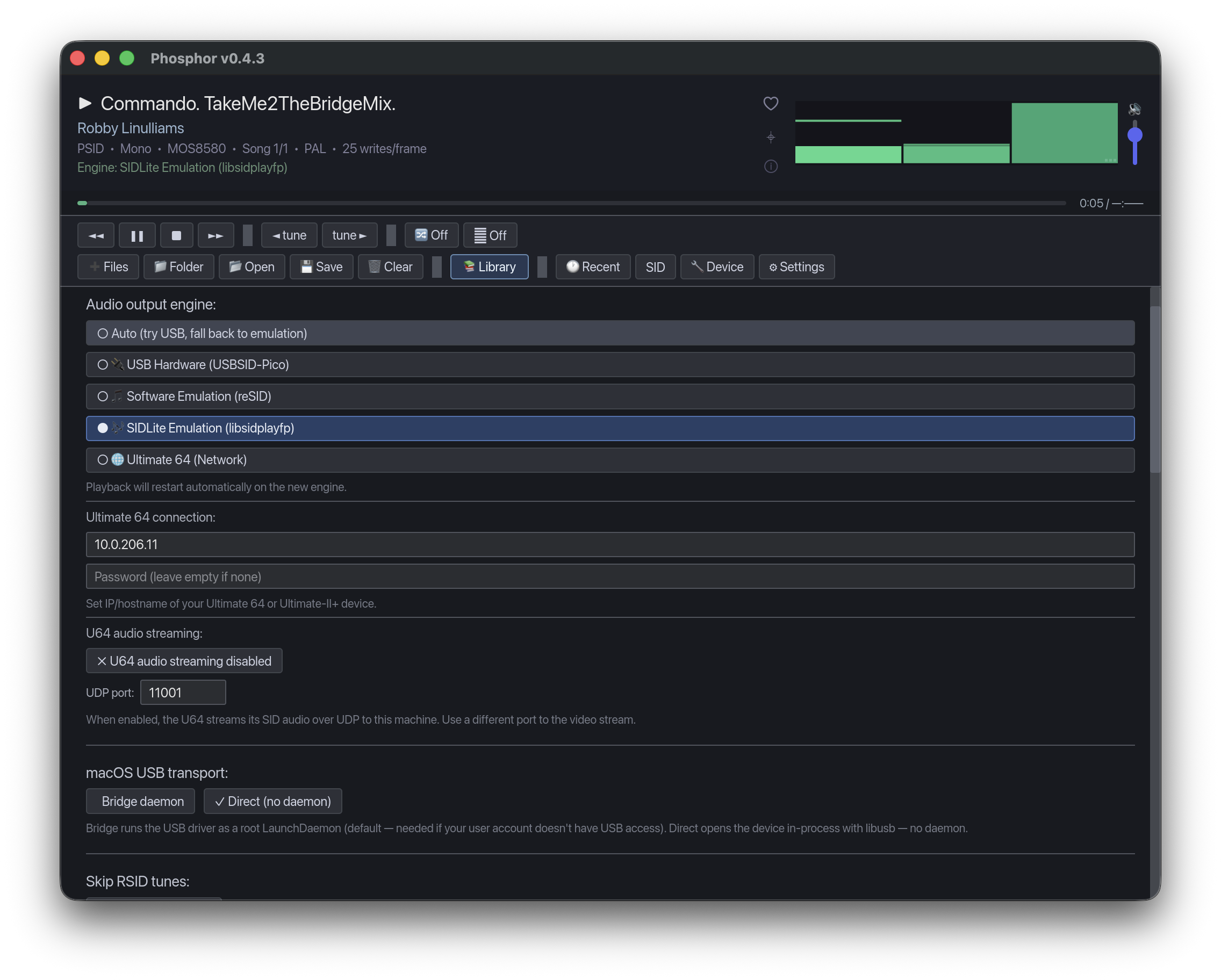
Configuring hardware or Ultimate 64: open ⚙ Settings (bottom right) to switch playback engine, set your Ultimate 64 IP, or point Phosphor at an existing HVSC directory. USBSID-Pico owners get a 🔧 Device panel for chip routing, clock rate, LEDs, MIDI, and save-to-flash.
Features
Four playback engines
USB hardware, reSID, SIDLite, or Ultimate 64 over the network. Auto-detects the best available.
Built-in Library
Browse your local HVSC tree, search Assembly64 live, or load curated playlists synced from the Phosphor repo.
Surprise me
One click picks a random tune from 75,000+ files in your synced HVSC library.
USBSID-Pico config
Chip routing, clock rate, LED/RGB, MIDI, FMopl, presets, save-to-flash - all inside Phosphor. PCB revision (v1.3 / v1.4 / v1.5) auto-detected; firmware ≥ 0.7.7 supported; INI import/export compatible with the upstream Configtool.
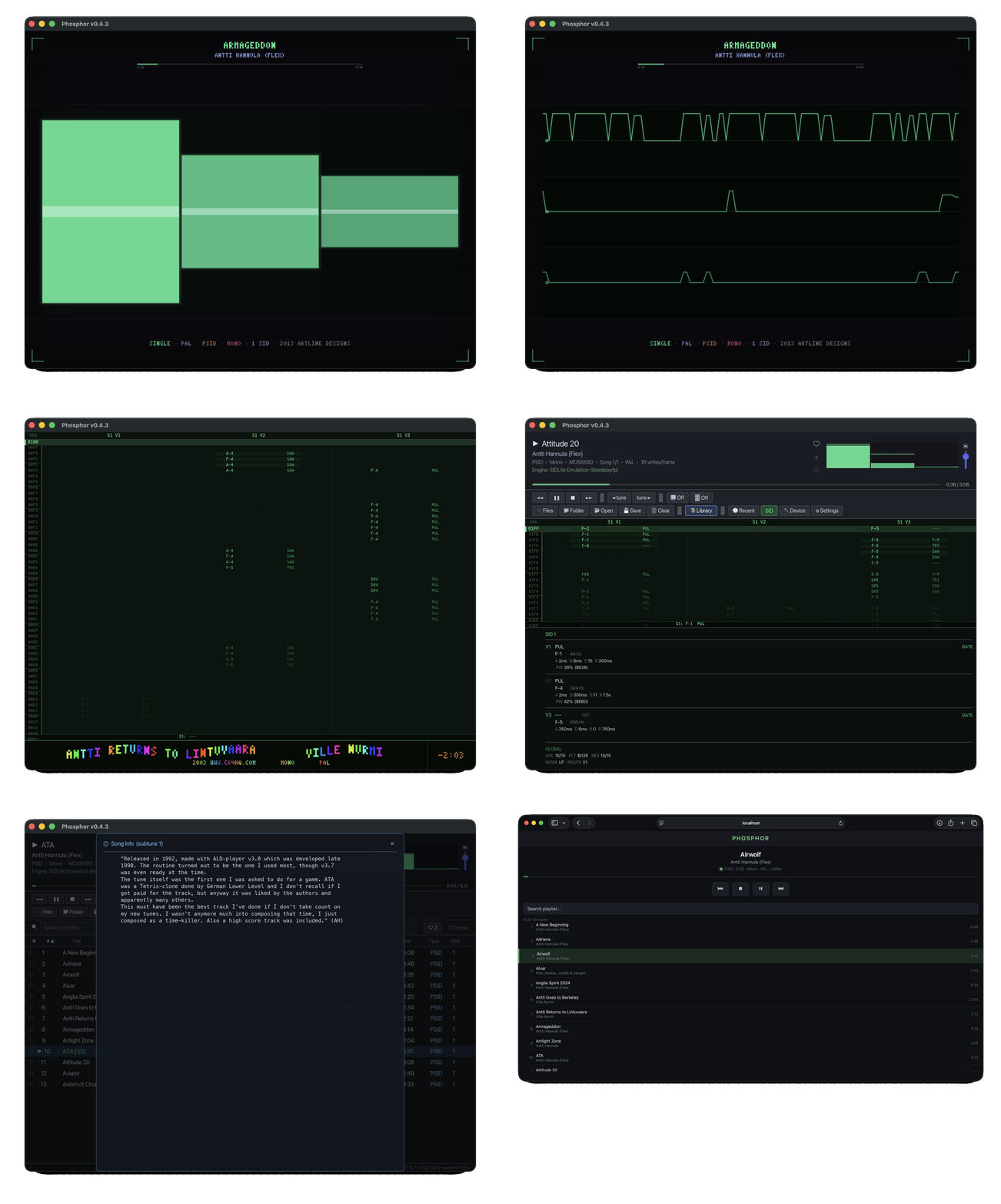
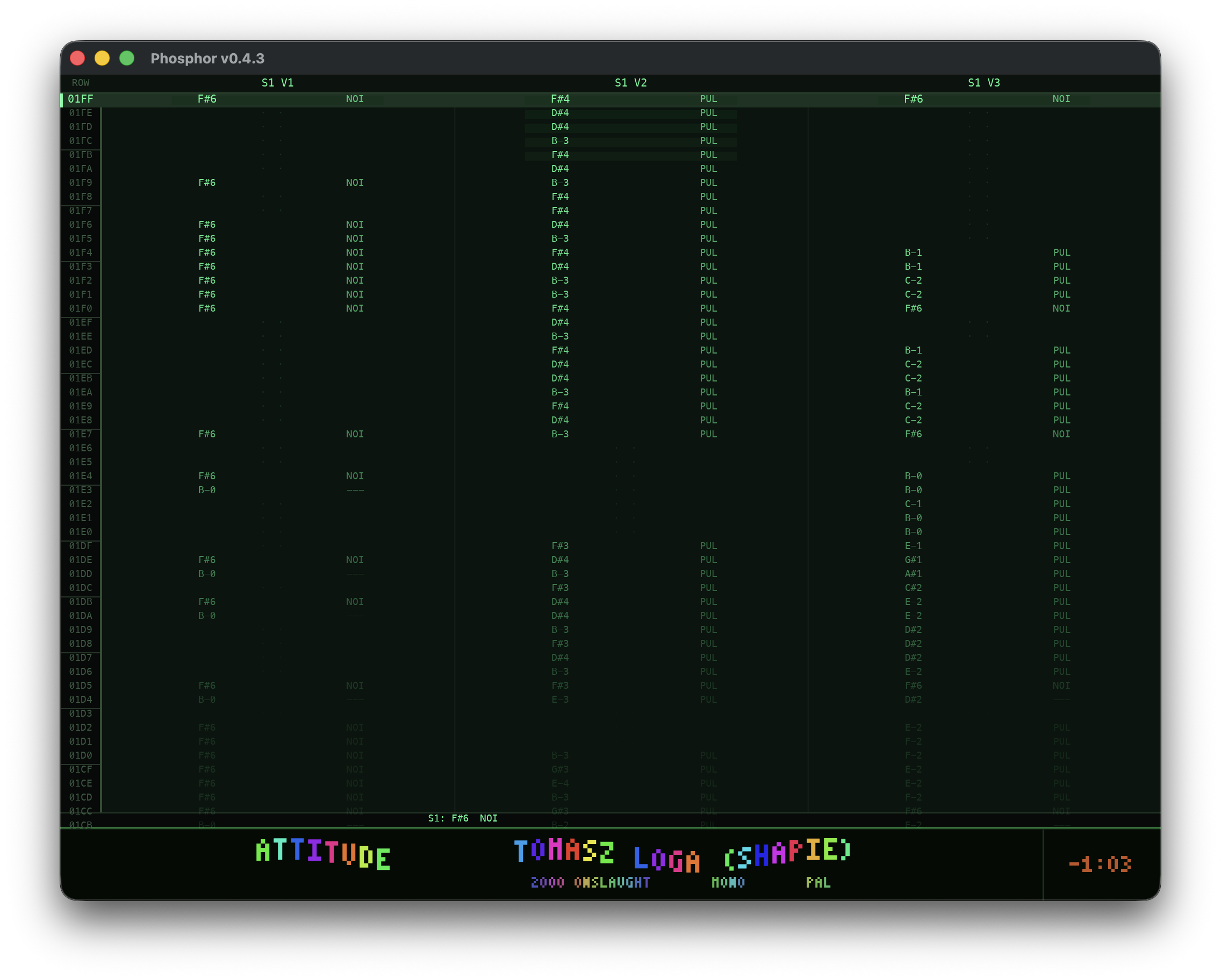
Live tracker view
Real-time note/waveform/ADSR readout per voice across every active SID chip.
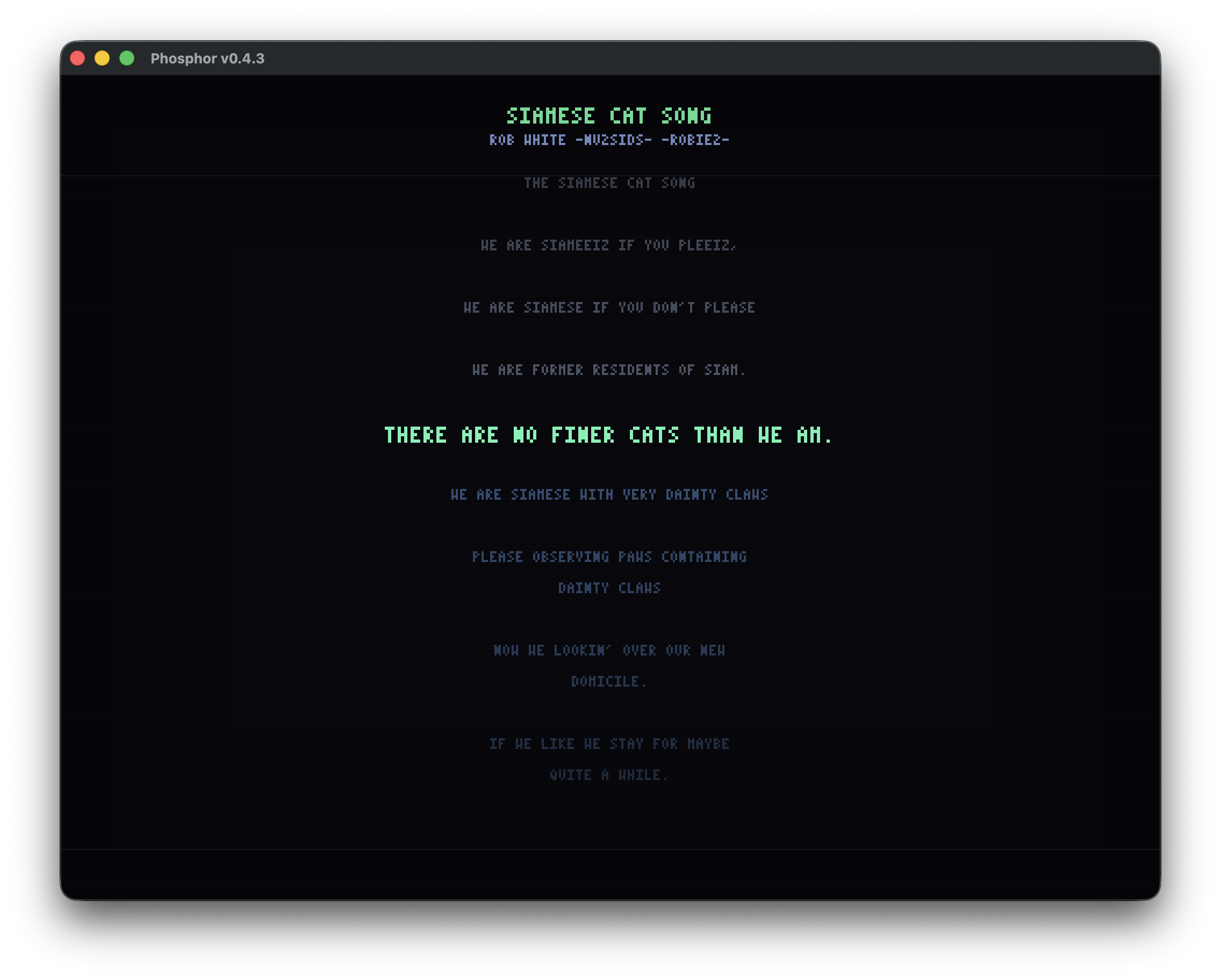
MUS karaoke
Compute's Gazette MUS files with .wds lyrics and .str stereo render in synchronized karaoke mode.
HVSC + STIL + Songlengths
One-click HVSC sync over HTTPS or a fast first-time bootstrap that pulls the whole tree as one .zip / .7z archive (deflate / LZMA / LZMA2 / PPMD, extracted in-process). Automatic song-length lookup and STIL metadata overlay with composer comments.
Full-featured web remote
Built-in web server delivers a near-complete remote to any browser on your LAN: playlist editing (drag-reorder, sort, M3U import/export, right-click context menu), Library browse (HVSC, Published, Recent), Media Session for lock-screen controls, keyboard shortcuts, quick-settings drawer, mobile Now Playing bar. Optional 🔊 Listen streams live MP3 back through the browser.
U64 audio streaming
Hear the Ultimate 64's audio output on your host machine over UDP, resampled to your audio device.
HTTP proxy support
Single-field setting for http://, https://, or socks5:// proxies - works behind corporate firewalls.
Session restore
Playlist auto-saved on exit, restored on next launch. Loading a published playlist never overwrites your default.
Favorites + history
Heart any tune, filter to favorites only, plus a persistent log of the last 100 played and every unique SID heard.
Rich HVSC search
Global search across a whole category shows title, released, subsong count, duration, and STIL ✓ for every hit - not just filenames. Indexes lazily in the background on your first keystroke.
Focused Settings
Five tabs - General, Audio, Library, Network, Help - so you find the knob you want without scrolling a wall of options.
Button tooltips + shortcuts
Every transport / toolbar button carries a hover hint in both mini and full player. Volume, shuffle, favourite, and mini-player toggles are all keyboard-driven.
Browser audio streaming
The web UI can also play the current SID output as a live MP3 through the browser's <audio> element. Click 🔊 Listen and any device on the LAN - phone, tablet, another laptop - hears what the desktop is playing. Works with the reSID and SIDLite engines.
Pseudo-stereo
Widens a mono (1-SID) tune by mirroring SID1 to SID2 with a few-cents detune so the two chips beat across the stereo field. Three width presets (Subtle / Medium / Wide). Works on reSID, SIDLite, and USBSID-Pico; on USBSID-Pico the Settings panel checks your Audio-routing knobs and offers a one-click session-only fix if the device isn't set up for stereo separation.
Liked tracks as a real playlist
♥ any tune to remember it forever. Hit ❤️ Load to open the whole liked collection as a fresh playlist - tracks resolve back to disk even if you removed them from the current playlist, moved your HVSC folder, or migrated from another machine. Import / export as M3U to share with a friend.
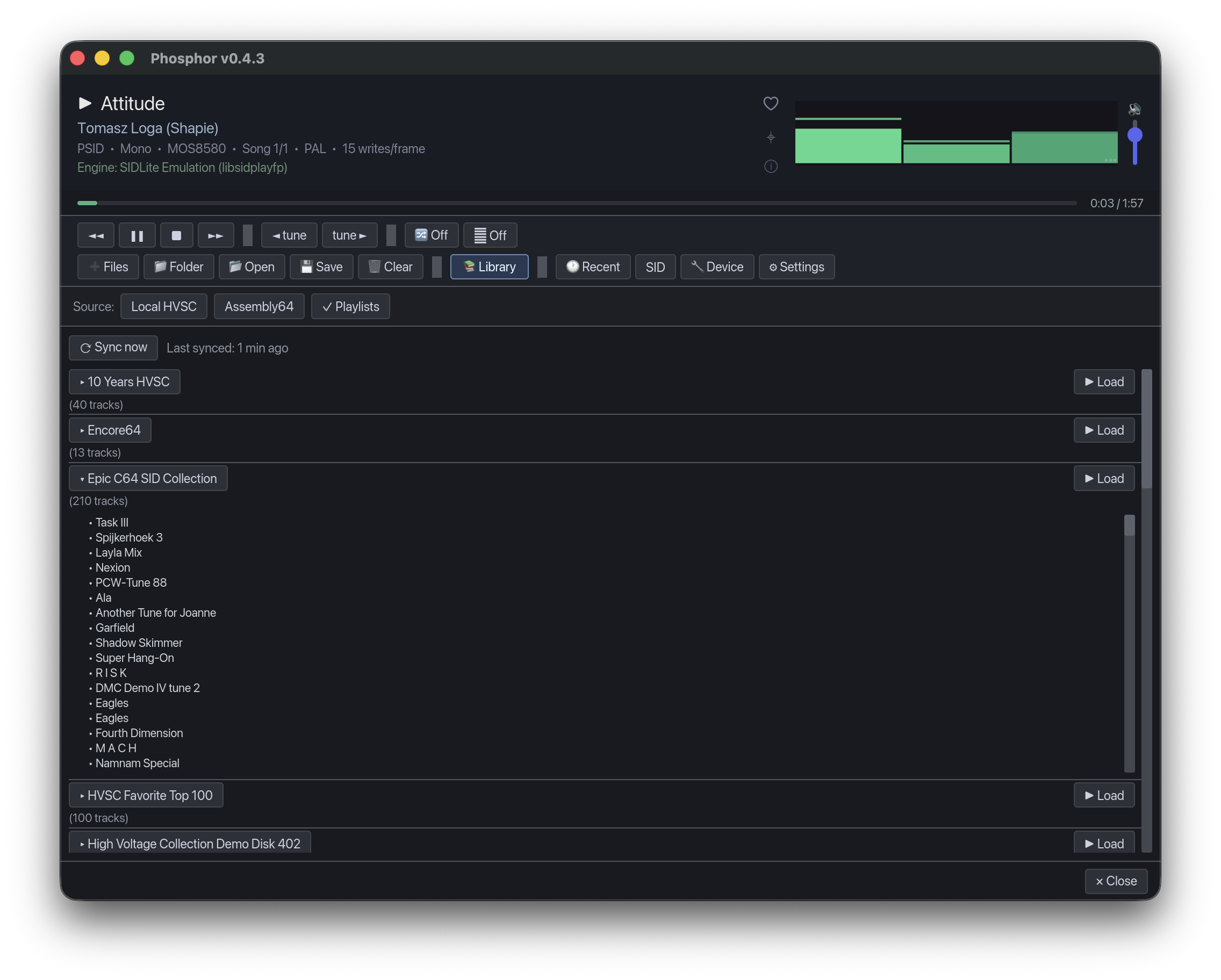
📚 The Library panel
The Library is Phosphor’s single entry point for finding SIDs. Three sources, one panel, switchable from a segmented control at the top:
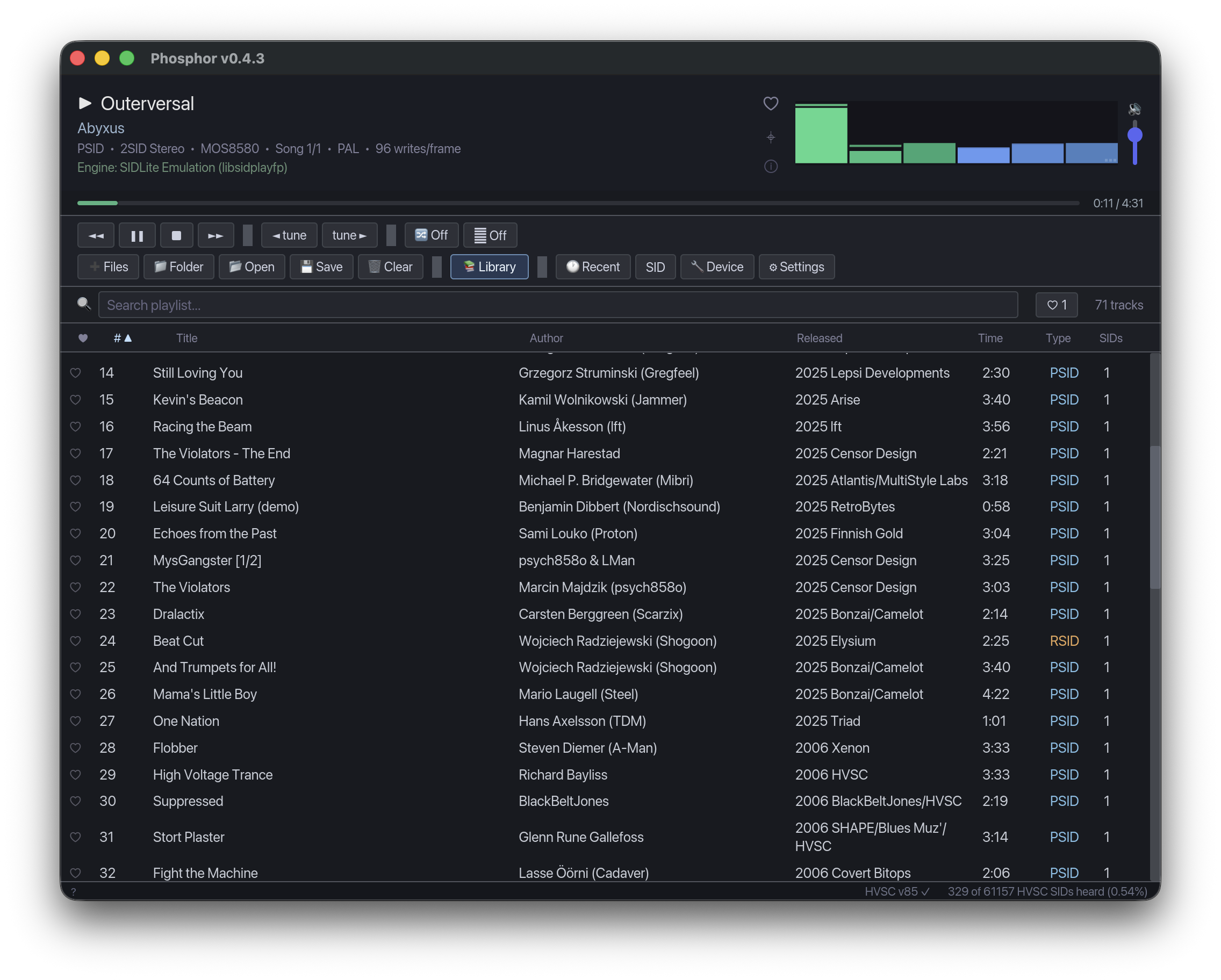
📂 Local HVSC
Two-column author/tune walker with global filename search across the whole category. Add a single tune, an entire author folder, or hit 🎲 Surprise me for a random pick from 75,000+ files.
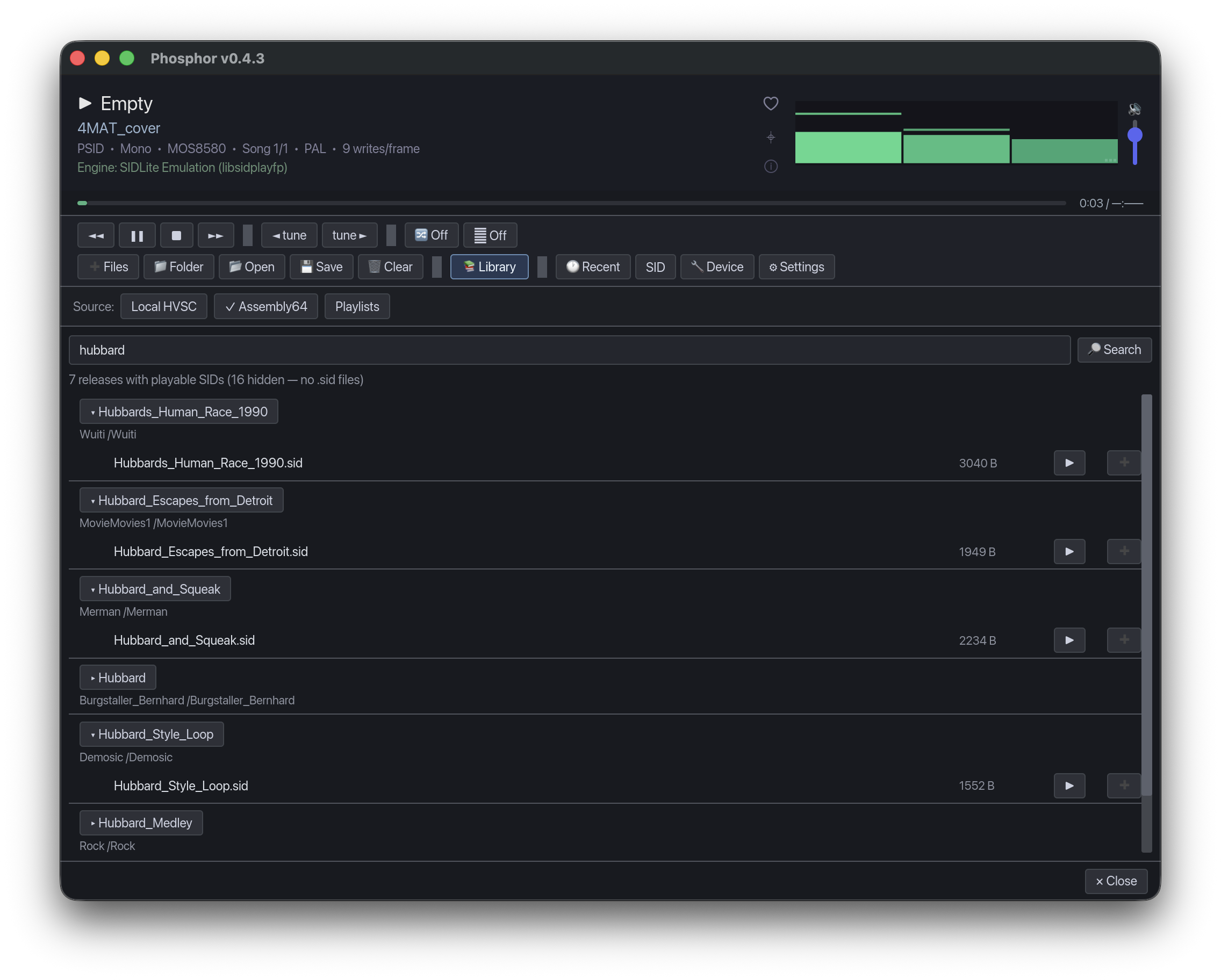
🔍 Assembly64
Live AQL search against the hackerswithstyle.se/leet catalogue. Type a tune or composer, expand any release inline to its .sid files, click ▶ Play or ➕ Add. Empty releases are auto-filtered.
📋 Published Playlists
Curated M3Us synced from the Phosphor repo - HVSC favourites, composer collections (Galway, Hubbard, Bjerregaard, Zyron), themed mixes. Expand any playlist to preview the track list before loading. Read-only mode protects your own playlist from being overwritten.
Screenshots
Download
Loading latest release…
All builds - GitHub Releases page →
Installing
For most people the Download section above is all you need - double-click the installer for your OS. The notes below cover the specifics per platform.
macOS
Double-click Phosphor-version-macOS.pkg. The installer drops Phosphor.app into /Applications and registers a privileged USB bridge (usbsid-bridge) as a LaunchDaemon so USBSID-Pico works without you having to type sudo at anything.
To uninstall, run the matching Uninstaller.pkg from the same release - drag-to-Trash is not enough (leaves the LaunchDaemon orphaned).
Windows
- Install the WinUSB driver for the USBSID-Pico via Zadig. One-time step, and only needed for the USBSID-Pico hardware - software emulation and Ultimate 64 network playback work without it.
- Download and run Phosphor-version-windows-x86_64-setup.exe. It installs Phosphor with a Start-menu shortcut (and an optional desktop icon) and registers an uninstaller in Add/Remove Programs.
Linux
Double-click the .deb (or sudo dpkg -i from a terminal). The package already ships the udev rule that grants non-root access to the USBSID-Pico, so you don’t need to add anything manually.
Building from source
Only needed if you want to develop or customise Phosphor - the prebuilt binaries above are the recommended path.
git clone https://github.com/sandlbn/Phosphor
cd Phosphor
cargo build --release
./target/release/phosphor
Full per-platform build instructions (macOS bundle signing, Linux .deb packaging, etc.) live in the README.
Keyboard shortcuts
| Key | Action |
|---|---|
| Space | Play / Pause |
| ← / → | Previous / Next track |
| ↑ / ↓ | Navigate playlist |
| L | Toggle 📚 Library panel |
| F | Toggle full-screen visualiser |
| V | Cycle visualiser mode (Bars / Scope / Tracker / Karaoke) |
| K | Toggle karaoke lyrics (MUS files with .wds) |
| H | Toggle favourite for currently playing track |
| Shift + H | Toggle shuffle |
| , / . | Nudge master volume −5% / +5% |
| M | Toggle mini player mode |
| Delete | Remove selected track |
| Ctrl + F | Focus search |
| ? | Show keyboard shortcuts overlay |
| Escape | Close overlay / exit full-screen |
Configuration paths
Phosphor stores config and caches under a platform-standard location:
| Platform | Path |
|---|---|
| macOS | ~/Library/Application Support/phosphor/ |
| Linux | ~/.config/phosphor/ |
| Windows | %APPDATA%\phosphor\ |
The directory holds config.json, your favorites, recently-played history, the auto-saved session playlist, plus cached copies of Songlengths.md5 and STIL.txt for offline use. Synced HVSC tunes go under HVSC/ in the same folder by default.
Thanks
Huge thanks to Adam Kazmierski for countless hours of testing, breaking things, and helping fix them. From catching audio glitches to spotting swapped stereo channels - this project sounds way better because of him.
About
Phosphor is free, open-source software licensed for personal and non-commercial use. Bug reports and contributions are welcome on GitHub. The player is developed by @sandlbn; see the CHANGELOG for release history.